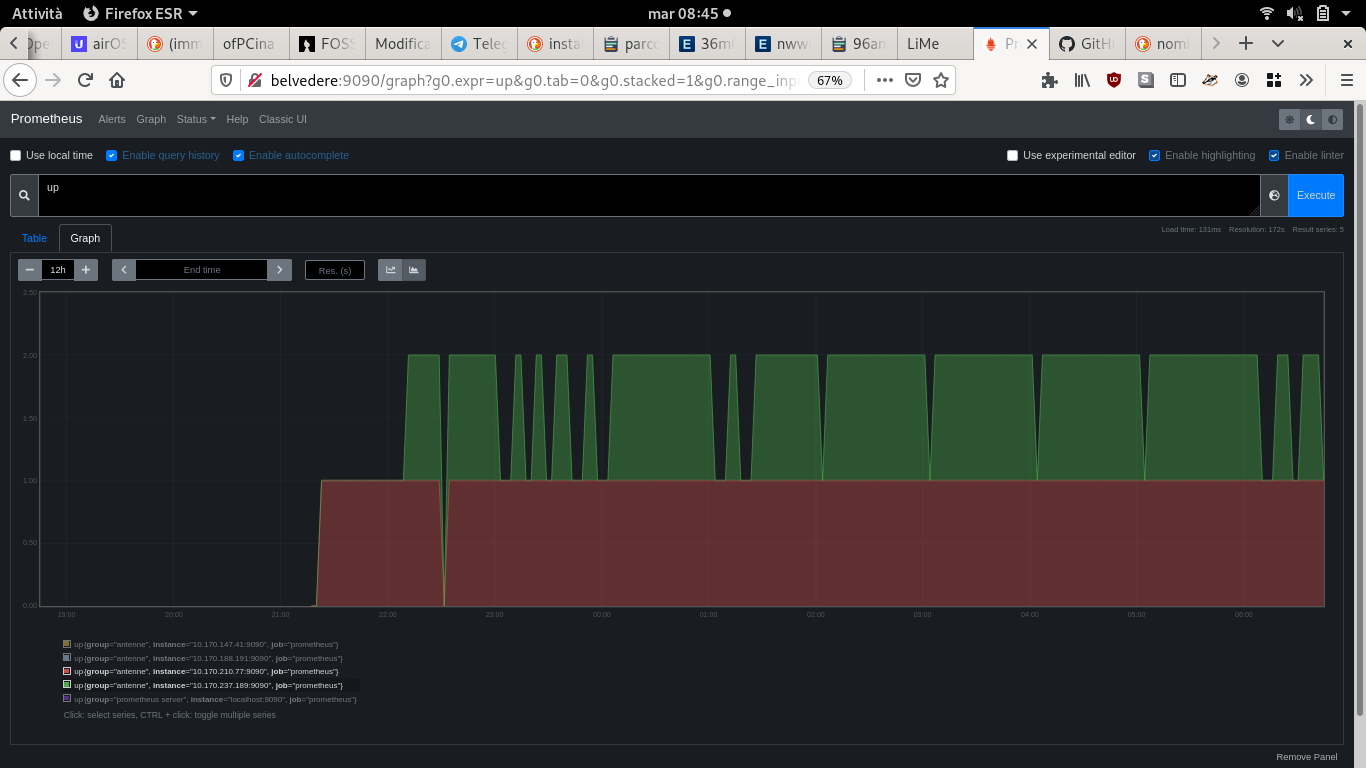
Ora che abbiamo un bel po di apparati di seconda mano, ecco che ci tocca capire quali sono affidabili e quali no.
Category: testing
-
Test con iperf per sapere la banda tra antenna ed antenna
- zanzara/scolopendra bisogna fare ssh su ciascuna delle antenne, e poi sulle rispettive:
root@zanzara:~# iperf3 -s
root@scolopendra:~# iperf3 -c zanzara
– – – – – – – – – – – – – – – – – – – – – – – – –
[ ID] Interval Transfer Bitrate Retr
[ 5] 0.00-10.01 sec 51.8 MBytes 43.4 Mbits/sec 2 sender
[ 5] 0.00-10.06 sec 51.7 MBytes 43.1 Mbits/sec receiverSe non hai iperf sulle antenne lo installi facendo
opkg updateopkg iperf6
test 28aprile
[ ID] Interval Transfer Bitrate Retr
[ 5] 0.00-10.08 sec 39.0 MBytes 32.4 Mbits/sec 4 sender
[ 5] 0.00-10.12 sec 38.9 MBytes 32.3 Mbits/sec receiver[ ID] Interval Transfer Bitrate Retr
[ 5] 0.00-10.42 sec 47.3 MBytes 38.1 Mbits/sec 0 sender
[ 5] 0.00-10.44 sec 47.3 MBytes 38.0 Mbits/sec receiver[ ID] Interval Transfer Bitrate Retr
[ 5] 0.00-10.42 sec 47.3 MBytes 38.1 Mbits/sec 0 sender
[ 5] 0.00-10.44 sec 47.3 MBytes 38.0 Mbits/sec receiver28 aprile Scolopendra-Mantide
[ ID] Interval Transfer Bitrate Retr
[ 5] 0.00-10.04 sec 50.3 MBytes 42.1 Mbits/sec 37 sender
[ 5] 0.00-10.09 sec 50.2 MBytes 41.7 Mbits/sec receiver[ ID] Interval Transfer Bitrate Retr
[ 5] 0.00-10.08 sec 42.5 MBytes 35.4 Mbits/sec 61 sender
[ 5] 0.00-10.14 sec 42.4 MBytes 35.1 Mbits/sec receiver28 aprile Mantide-Zanzara
[ ID] Interval Transfer Bitrate Retr
[ 5] 0.00-10.00 sec 1.86 MBytes 1.56 Mbits/sec 2 sender
[ 5] 0.00-10.13 sec 1.83 MBytes 1.51 Mbits/sec receiver28 aprile Mantide-Formica
[ ID] Interval Transfer Bitrate Retr
[ 5] 0.00-10.00 sec 41.1 MBytes 34.5 Mbits/sec 0 sender
[ 5] 0.00-10.06 sec 41.0 MBytes 34.2 Mbits/sec receiver[ ID] Interval Transfer Bitrate Retr
[ 5] 0.00-10.00 sec 34.5 MBytes 29.0 Mbits/sec 0 sender
[ 5] 0.00-10.06 sec 34.4 MBytes 28.7 Mbits/sec receiverComandi per provare a fare meglio il test:
Pacchetti UDP
iperf -u -b 100m -c scolopendra
Pacchetti TCP
iperf3 -t20 -w 40k -c scolopendra
-
Report Test su LIbremesh – dicembre 2019
Il risultato: FUNZIONA TUTTO!!!
Cioè non che siam stupiti.. he?!?
Cioè lo sapevamo.. però alla faccia! che bello quando le cose vanno!
Quindi ora siamo stabili sui nodi: Castello verso Sega, Castello verso Cabat, Castello verso Lomba.
Abbiamo il nostro primo super nodo funzionante.. ora da li ci spostiamo!
Come abbiamo fatto ad aggiustare le cose?! ecco un po di documentazione:
test per sapere le interfacce in giro:
ping ff02::1%wlp3s0
E’ normale avere duplicati, perchè ti rispondono più di una interfaccia.
Avere informazioni di connessione
in ssh alla macchine #batctl originators
mtr in locale sul proprio pc
mtr -b -s 500 -4 cooperativa.cat
Mettere nome antenna
uci set lime.system.hostname=mantide
uci set lime.system.hostname=zanzara
uci set lime-node.system.hostname=scolopendra
uci commit
uci get lime.system.hostname
lime-config
reboot && exitBuildare i Firmware con libremesh SDK
https://github.com/libremesh/network-profiles/tree/master/valsamoggia.ninux.org#generating-the-firmware-images
Sapere le configurazioni dell’antenna
uci show lime-defaults
uci set lime-node.wifi.channel_5ghz=’157′
uci set lime.wifi.channel_5ghz=’48’Test sui due modi scolopendra/zanzara:mantide/formica
-cambio hostname
-alla configurazione: no AP di scolopendra, tutte sul canale 48, lime 15, da wireshark si vedono un troppissimi pacchetti che svanivano per TTl (time to live) esaurito## test 2:
messo scolopendra/zanzara sul canale 157, continuano a sparire pacchetti nel nulla, ma sembra nella tratta tra scolopendra ed eolo. Mantide spenta. Decidiamo di rimuovere lo switch, per fortuna ne abbiamo un altro dietro! -
Test velocità tra due nodi
Prima va fatto girare il comando con nc -l quindi sarebbe
Sul nodo A
coseacasocheandrannosparatedila | pv | nc IP_dellaltro porta
Sul nodo B
nc -l -p porta | pv > /dev/null
Si possono usare anche IP link local, per cui se sai attraverso quale
interfaccia ti aspetti di vedere l’altro puoi usare la sua IPv6
sull’interfaccia corrispondente, gli IPv6 link local sono quelli che
cominciano con fe80::Esempio:
AntennaScolopendra# coseacasocheandrannosparatedila | pv | nc 10.13.105.12 5000
AntennaZanzara# nc -l -p 10.13.45.138 5000 | pv > /dev/null
